SNAPLINKR LEAD CAPTURE

Meet people.
Keep the context.
Make the next move.

Bring every new connection into a workflow your team can use. Capture contacts on the go, organize leads by event, and keep follow-ups moving from one shared workspace.

For trade shows, field sales, and the conversations in between.

✓ Mobile capture✓ Event lead groups✓ CSV / Excel export
● ● ●SnapLinkr · Team workspace
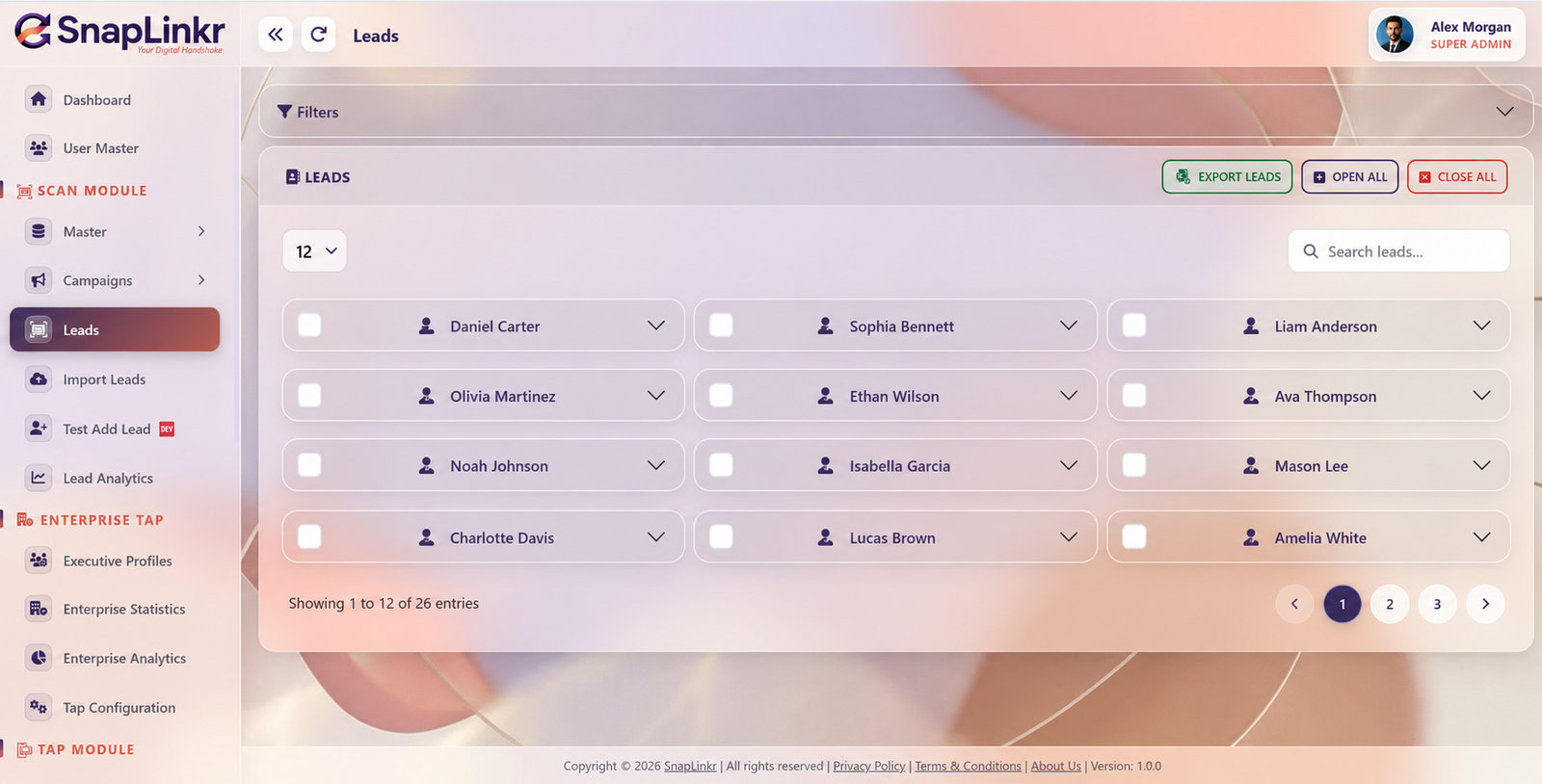
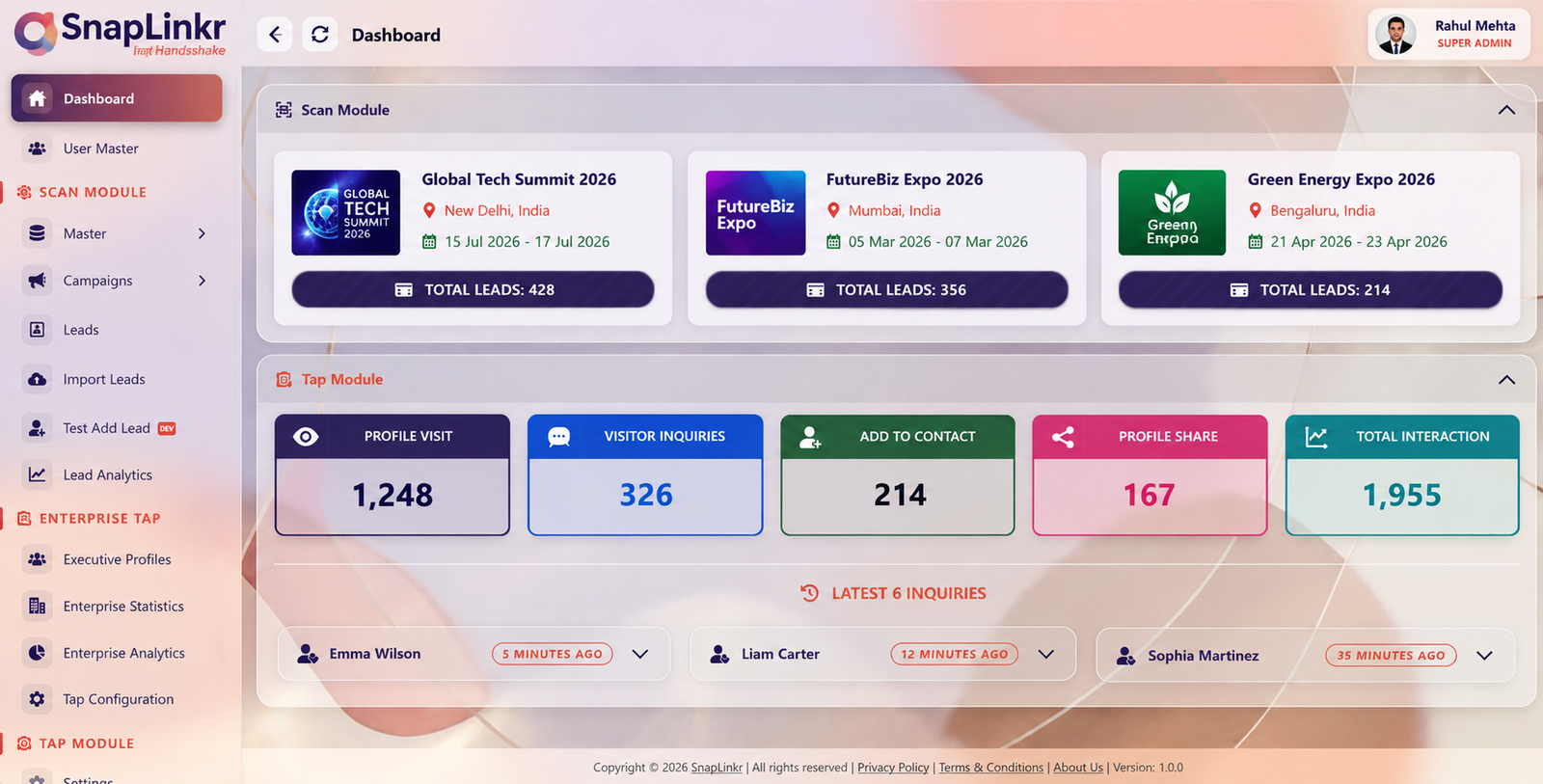
SnapLinkr dashboard grouping leads by event with recent inquiries
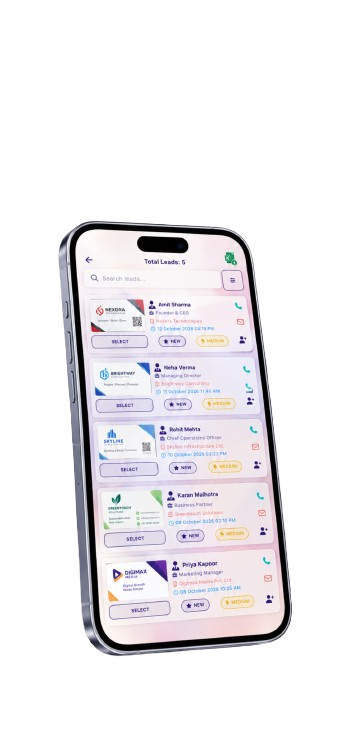
SnapLinkr mobile lead list with priorities
✓Conversation → connectionReady for your next follow-up.
ONE WORKFLOW, WHEREVER YOU MEET

Exhibitions ✦ Conferences ✦ Client visits ✦ Sales teams

THE EVENT ENDS. THE OPPORTUNITY SHOULDN’T.

Less scattered information.
More useful connections.

Keep contact details and follow-up priorities together, so your team can spend less time reconstructing conversations.

THE PAPER TRAIL

A pocket full of cards.
A head full of questions.

  • Contact details spread across cards and photos
  • Manual entry after a busy event
  • Hard-to-find contacts when it’s time to follow up
  • Little visibility into the leads your team collected
THE SNAPLINKR WORKFLOW

Capture it once.
Keep it moving.

  • Review contact details in a structured lead form
  • Keep captured cards with their contact information
  • Organize by group, status, and priority
  • Bring your team’s event leads into one workspace
FROM FIRST HELLO TO FOLLOW-UP

A clearer path for every lead.

Start on your phone. Continue with your team.

01

Capture

Scan a business card or add contact details through the lead form.

02

Review

Check the details and save the original card images for reference.

03

Organize

Bring leads into groups and set status and priority for the next step.

04

Follow up

Find contacts, export your leads, and continue the conversation.

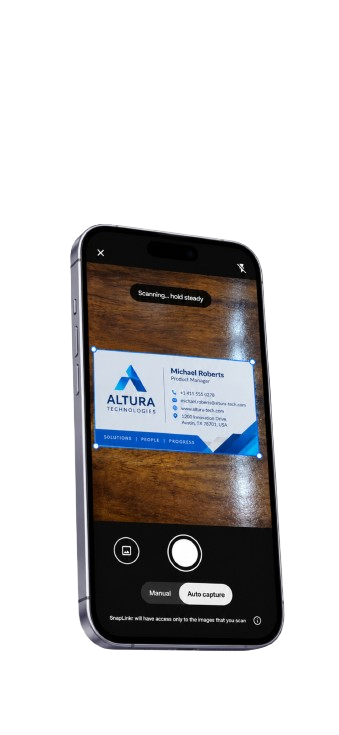
SnapLinkr camera capture screen
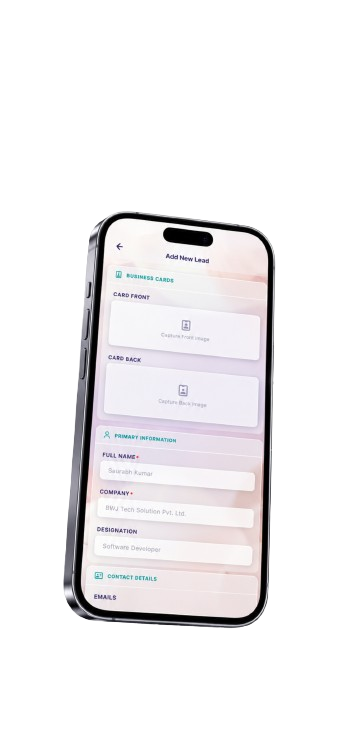
SnapLinkr editable Add New Lead form
CAPTURE IN THE MOMENT

Stay in the conversation.
Save the details.

Turn a paper business card into an editable contact. Capture front and back images, review key information, and give that new connection a place in your lead list.

✓ AI-assisted business card recognition

✓ Editable name, company, role, and contact details

✓ Card images retained for reference

Take a closer look at the scanner ↗
YOUR TEAM’S NEXT CHAPTER

From individual contacts
to a shared picture.

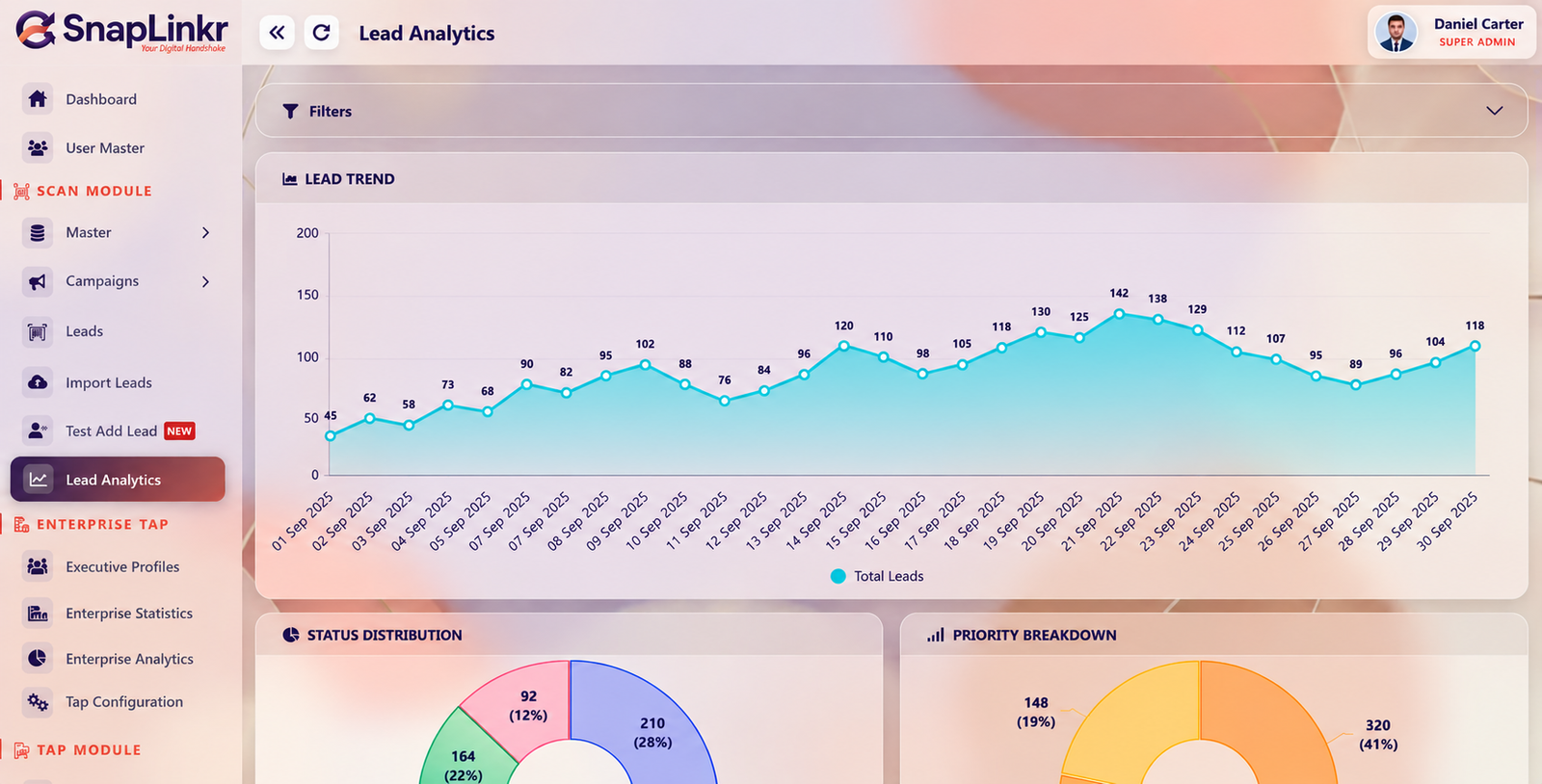
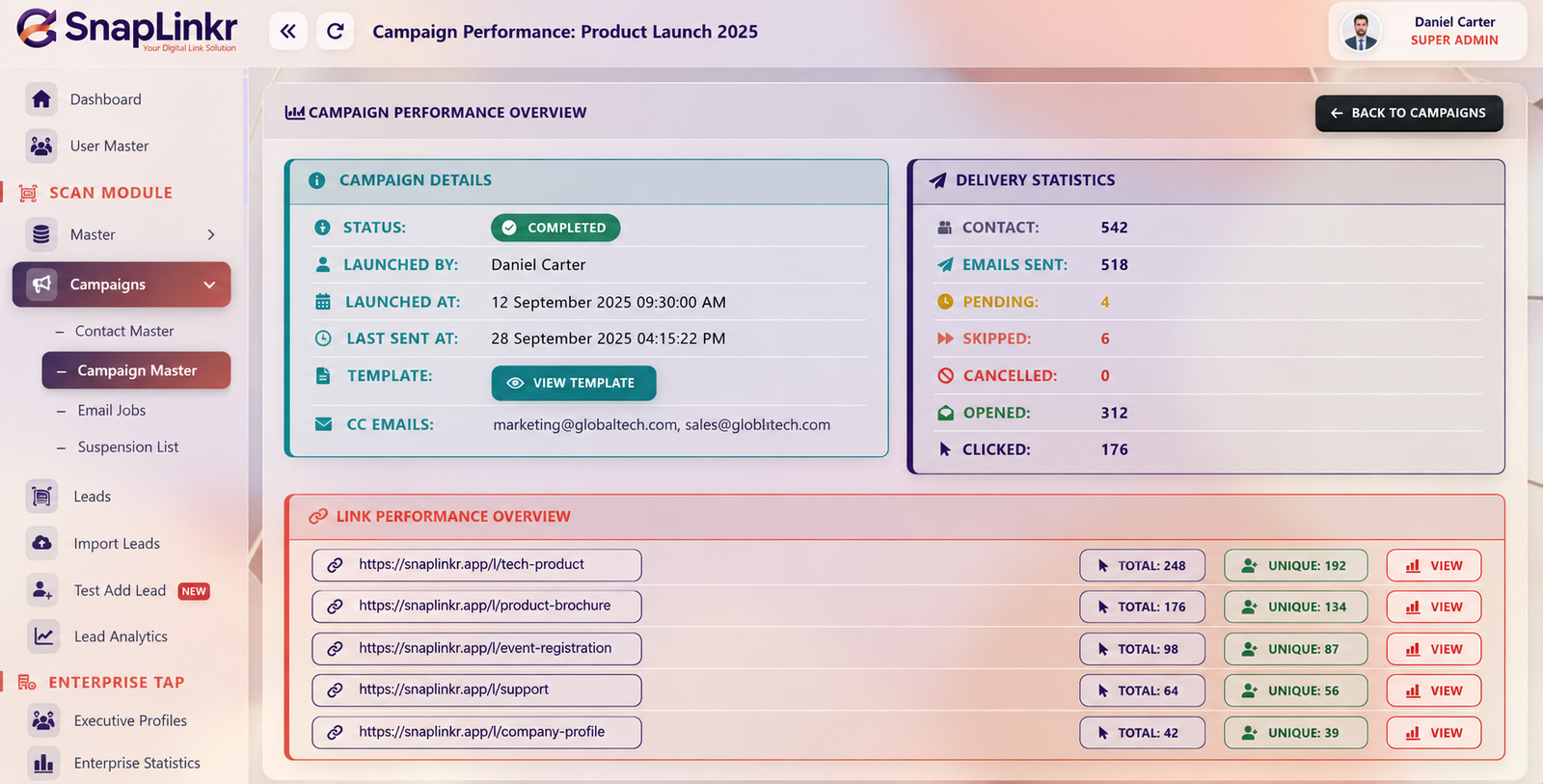
Explore the real SnapLinkr web app screens. Select a view to see how the workflow comes together.

Product screenshots show example data. Explore the app or book a demo for a live walkthrough.

BUILT AROUND YOUR WORKDAY

Keep the momentum
after the first meeting.

≋

Capture through patchy Wi-Fi

The offline lead capture workflow queues information locally and syncs when connectivity returns. Keep gathering connections while you’re on the move.

↧

Take leads into your workflow

Export to CSV or Excel and use your CRM’s import process. Keep your next step practical, with field mapping suited to your system.

◈

Give your team a shared view

Explore event groups, team roles, lead analytics, and campaign reporting from a central workspace.

Explore enterprise features ↗
READY FOR YOUR NEXT EVENT?

A good workflow starts
before the doors open.

Tell us how your team captures contacts today. We’ll walk you through a SnapLinkr setup that fits your events, people, and follow-up process.

Plan your team demo ↗
01

Prepare your groups

Define how you’ll organize leads from each event.

02

Align your team

Agree on the details and priorities to capture.

03

Choose the next step

Plan exports and follow-ups before the first scan.

BEFORE YOU GET STARTED

Your questions,
answered.

Visit the help center ↗
How can I capture a lead?

Scan a paper business card with AI-assisted recognition or enter details in the lead form. Review the information before saving it.

Does lead capture work offline?

SnapLinkr’s offline capture workflow queues information on the device and syncs when connectivity returns. Ask for a demo of the offline workflow and the setup for your team.

Can I export contacts to my CRM?

Export leads to CSV or Excel and import them through your CRM. Supported formats and field mappings depend on the CRM you use.

Can I see leads by event?

The workspace dashboard shows event lead groups. Lead analytics provide another view of trends, status, and priority across your captured contacts.

Are the previews on this page live data?

No. These are product screenshots with example data. Use Explore SnapLinkr or book a team demo to see the application workflow.

MAKE EVERY INTRODUCTION COUNT

Your next event.
A better next step.

Capture the contact. Keep the context. Continue the conversation.

🚀

Coming soon to the App Store!

SnapLinkr for iOS is coming soon. We are getting ready for the App Store. Stay tuned! Our Android app is available now on Google Play.