Keep your identity consistent
Configure your organization’s logo, cover image, colors, and profile presentation from a central workspace.
Bring your team’s digital profiles, event leads, and networking insights together. Give people a consistent way to connect—and your business a clearer view of what happens next.
Built for teams, events, and a consistent brand presence.
Sales teams ✦ Enterprise brands ✦ Event teams ✦ Business leaders
Connect the experience people share with the information your team needs to keep moving.
Configure your organization’s logo, cover image, colors, and profile presentation from a central workspace.
Manage executive digital profiles in a shared directory, with a consistent starting point for your team’s networking.
Review profile engagement, contact actions, and inquiries to build a clearer picture of your team’s digital presence.
Switch between your latest product screenshots. Open any preview full screen to inspect the details.
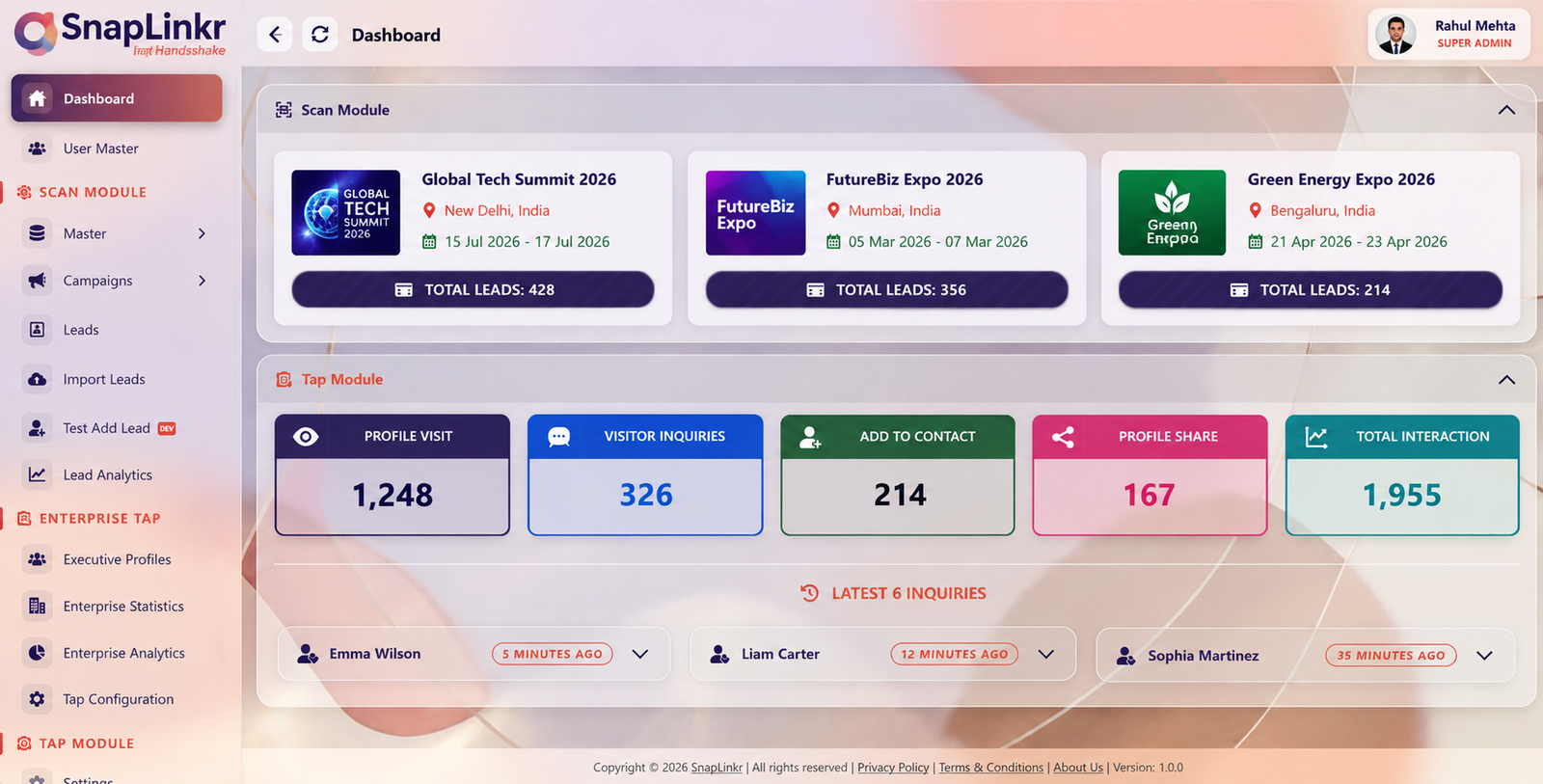
Event groups, recent inquiries, and profile interactions in one shared dashboard.
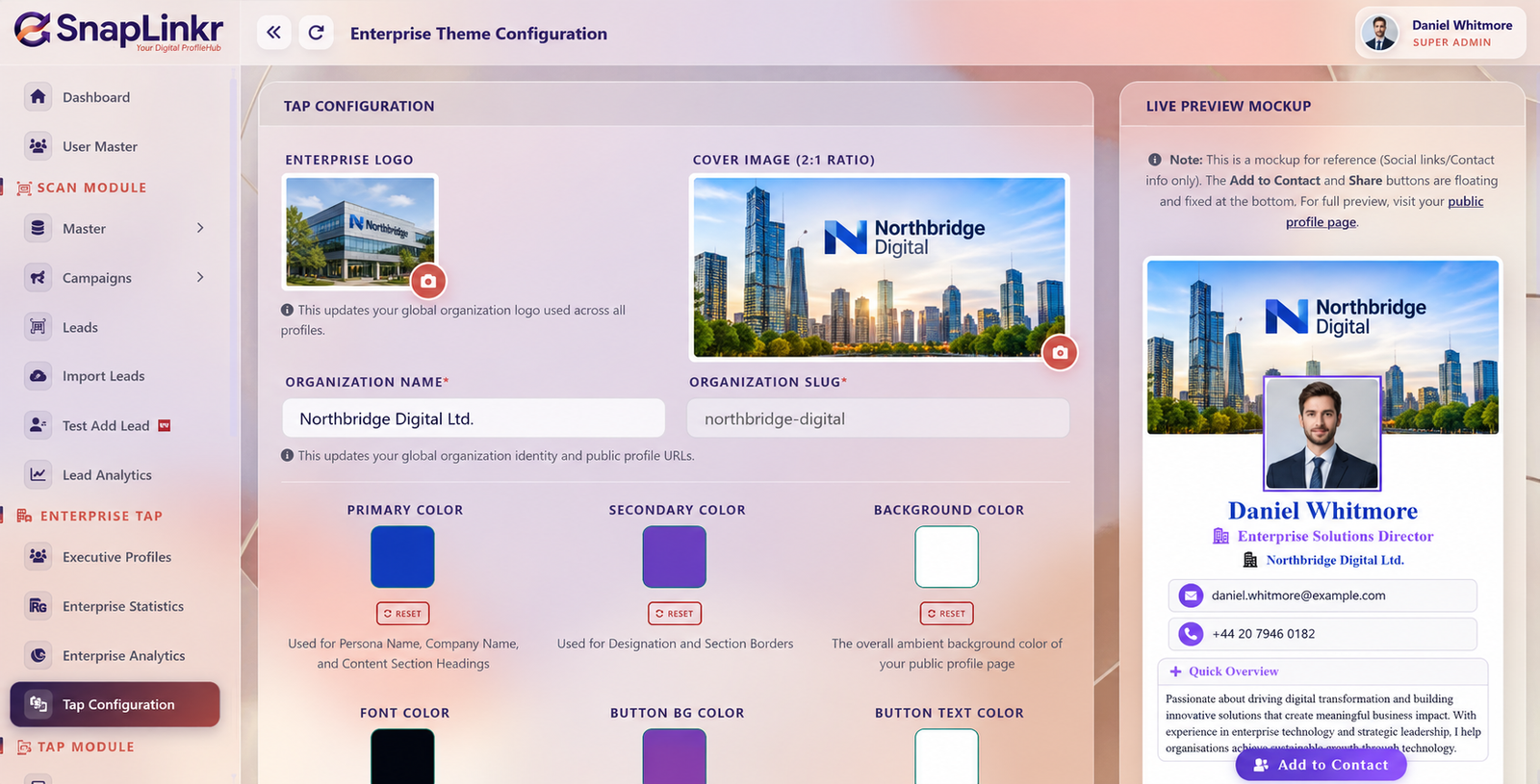
Configure organization identity, colors, and profile presentation with a live preview.
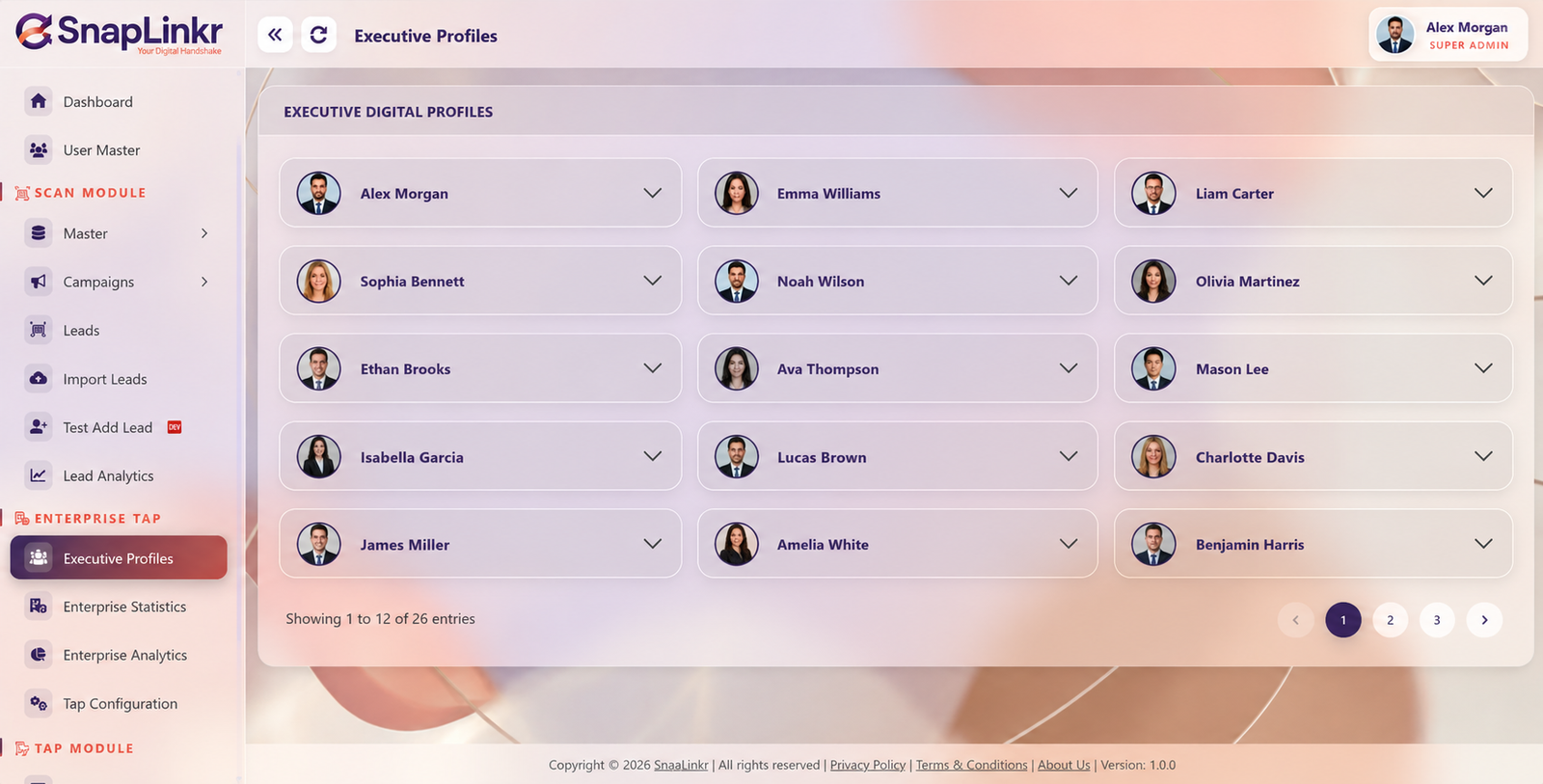
Browse your team’s executive digital profiles from a central directory.
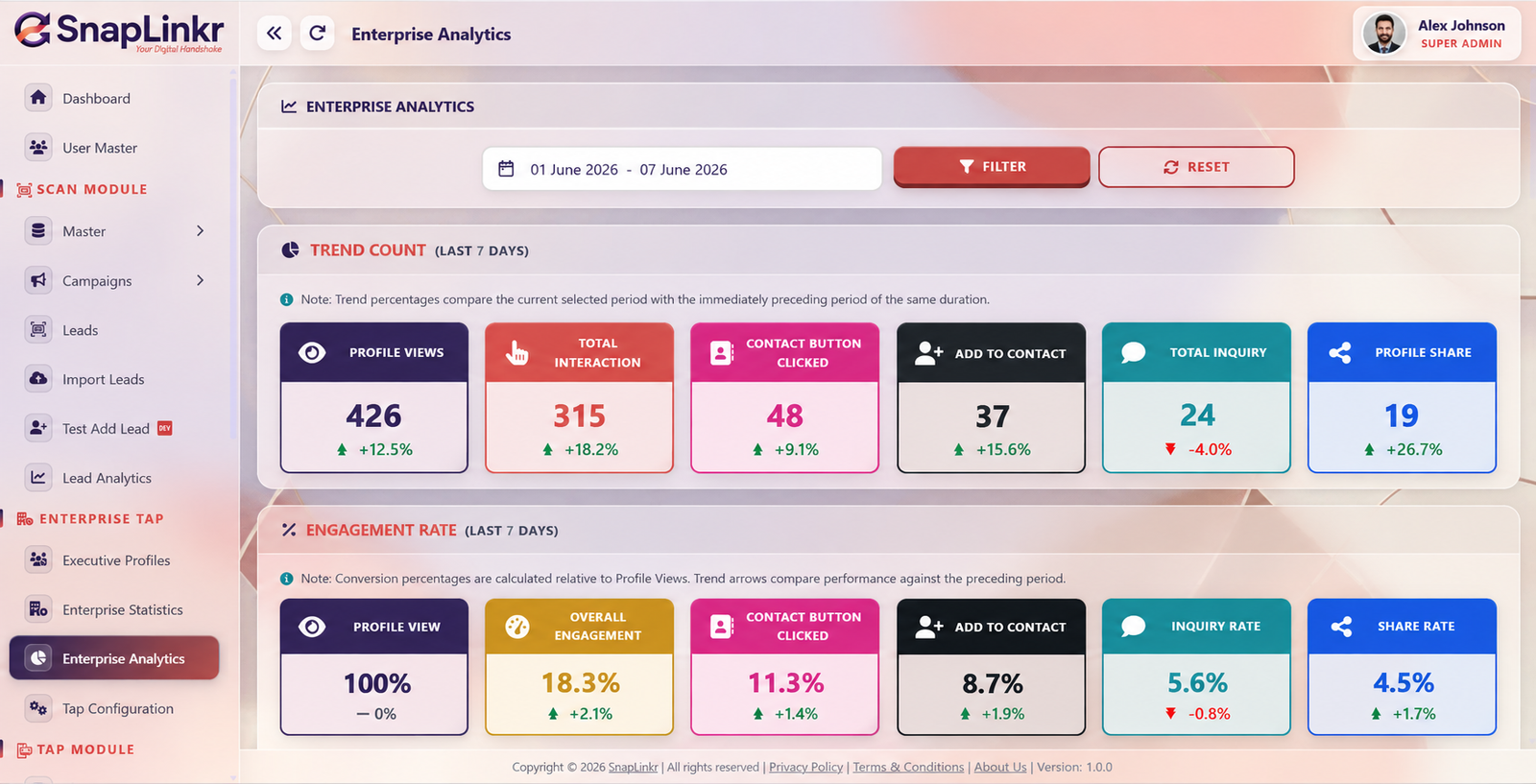
Review profile views, contact actions, inquiries, and engagement across a selected period.
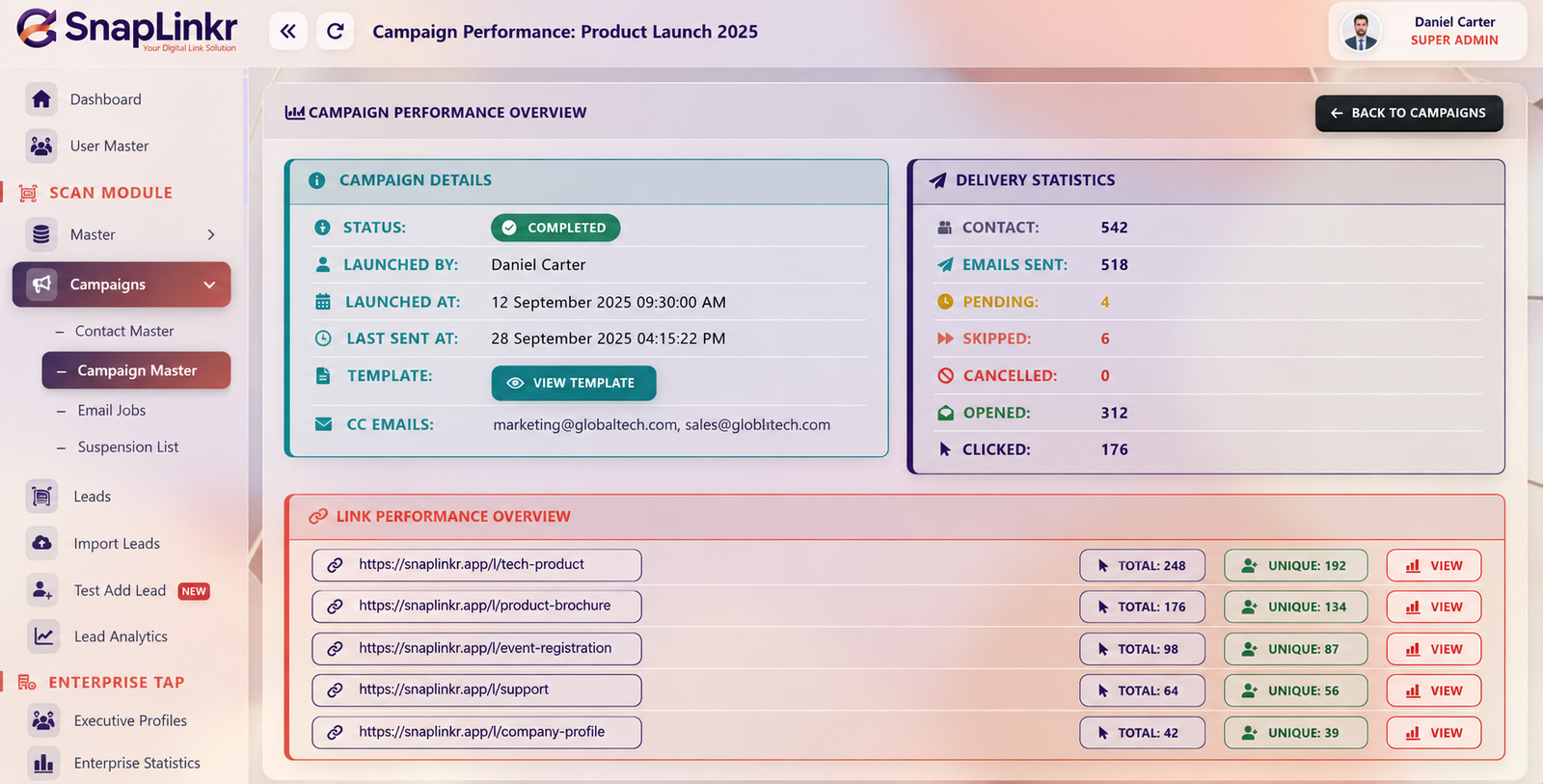
See campaign delivery statistics and link performance alongside your contact workflow.
Product screenshots show example data. Book a demo for a live walkthrough of your team’s setup.
Set your organization’s visual direction while giving each executive a profile that represents their role. Preview the experience before sharing it with the world.
Capture contacts on mobile and bring the next steps into a shared workspace.
Scan a card or enter details through a structured lead form.
Bring contacts into event groups and review status and priority.
Use lead analytics to explore trends and distribution.
Prepare exports or continue through your campaign workflow.
Review profile views, contact actions, inquiries, and sharing within a selected period. Pair enterprise engagement with lead analytics and campaign reporting for a more useful team overview.
We’ll walk through your brand, team roles, lead capture, and reporting needs before recommending a setup.
Talk to our team ↗Agree on a consistent presentation for your people.
Review Super Admin, Admin, and Executive responsibilities.
Plan event groups, exports, and follow-up workflows.
The enterprise configuration screen includes organization logo, cover image, colors, and profile styling with a live preview. A demo can show the options for your setup.
The enterprise workflow includes Super Admin, Admin, and Executive roles. Review the permissions and responsibilities for your team during onboarding.
The dashboard shows event lead groups, while lead management and analytics provide views of contacts, status, priority, and trends.
Export leads to CSV or Excel and use your CRM’s import workflow. Formats and field mapping depend on your system.
No. These are screenshots with example data, showing the product interface. Book an enterprise demo to see the app workflow and discuss your reporting requirements.
See how SnapLinkr can fit your enterprise networking workflow.
SnapLinkr for iOS is coming soon. We are getting ready for the App Store. Stay tuned! Our Android app is available now on Google Play.